Building a Home Server
I’ve been having a lot of fun the past few days building out my home server. It’s been a fun adventure revisiting old territory, and I wanted to take some time to write about the setup I’ve settled on for now.
The core idea behind this setup is simple: the foundation should be well documented. That way, if I want or need to tear it all down, build a new server, and spin everything back up, I can do it with minimal effort.
This setup definitely still has some rough edges, but what I have is something I can build on. It’s not overly complex, and more importantly, it’s something I actually understand.
Speaking of things I understand, let’s start with some screenshots.
Arcane
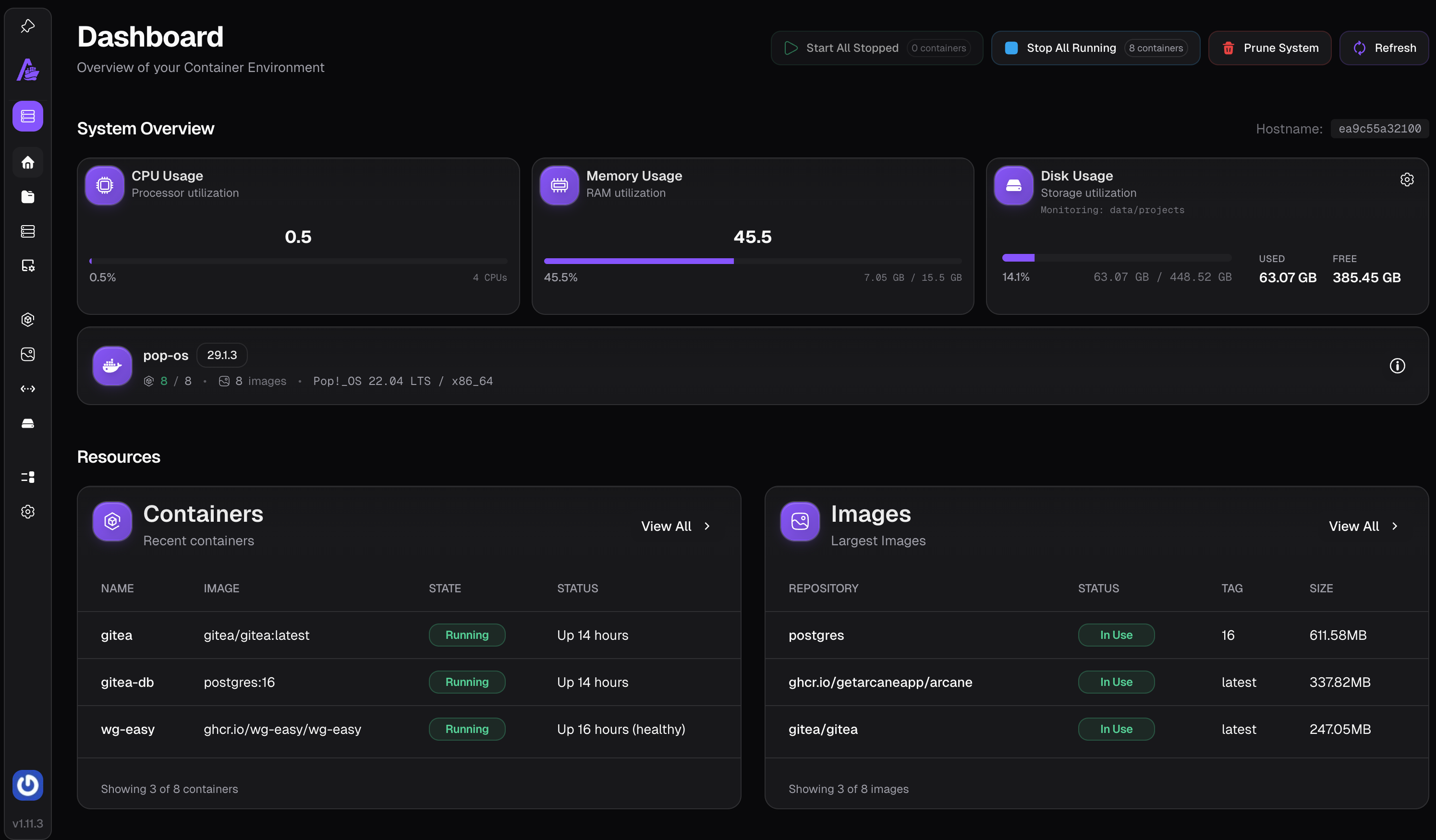
Arcane is a really slick tool for running and managing Docker workloads. I decided early on that Docker was the right choice here because it’s familiar and flexible. At the end of the day, this server is just running containers.
Arcane gives me a nice UI on top of that. It’s part of my “base server” setup and makes it easy to experiment, spin things up and down, and generally poke around without constantly living in the terminal.
AdGuard

AdGuard was actually the first thing I got running. DNS-level ad and threat blocking was a hard requirement for me, especially since this box is going to sit on my home network.
Once AdGuard was in place, everything else started to fall into place. Being able to control DNS rewrites and local domains turned out to be foundational for the rest of the setup.
Project: https://github.com/AdguardTeam/AdGuardHome
Gitea

Gitea is the only thing I’m currently running as a “project” inside Arcane. Everything else I have running forms the foundation of the home lab itself. The stuff I always want available, and that I can spin up with just a couple commands.
Gitea lives inside Arcane because it’s something I want to experiment with, not because it’s critical. I’m not even sure I’ll keep using it long term, which actually makes it a perfect candidate for this setup. It’s a safe place to learn how Arcane behaves and whether I want to go all-in on managing everything as Arcane projects.
The REST of the story
I started with the fun bits, but now it’s time to fill in the gaps.
I already gave it away that AdGuard came first. That was really all I had planned to spin up initially. But once it was running, curiosity got the better of me.
I landed on a simple rule: this server should just be Docker containers. For each thing I want to run, there should be a docker-compose.yml. From that idea, a very boring but very effective directory structure emerged:
~/Server
├── AdGuard
│   ├── docker-compose.yml
│   ├── conf
│   │   └── AdGuardHome.yaml
│   └── work
│       └── data
│           ├── filters
│           ├── querylog.json
│           ├── sessions.db
│           └── stats.db
├── Arcane
│   ├── docker-compose.yml
│   └── projects
│       └── Gitea
│           └── compose.yaml
├── Caddy
│   ├── docker-compose.yml
│   └── caddy-root.crt
├── WhoAmI
│   └── docker-compose.yml
└── README.md
Each service gets its own folder at the root. That folder always contains a docker-compose.yml, and may also contain config files or directories for persistent data. This should make backups straightforward once I get around to that.
It’s intentionally boring. Predictable. Easy to reason about.
Which probably means I’ll eventually turn it completely on its head.
How we got here
After AdGuard, the next obvious step was a reverse proxy.
I went with Caddy because it automatically obtains and renews TLS certificates, and it handles self-signed certs cleanly for internal services. I wanted HTTPS everywhere, even inside my home network, without having to babysit certificates.
To keep things simple, I paired it with Caddy Docker Proxy. This lets Caddy discover containers via Docker labels, so all I have to do is tag services correctly in their docker-compose.yml files and run docker compose up -d.
As a test, I spun up Traefik’s tiny WhoAmI service. It’s just a small Go web server that prints request and environment info, but it’s perfect for validating networking and proxy setups.
I ran it at whoami.home, which let me test a few things at once:
- Internal, self-signed TLS via Caddy
- DNS rewrites in AdGuard
- A wildcard
.homeTLD pointing at my server
AdGuard makes this part easy. I configured it to rewrite anything under .home to the IP of the homelab server, which instantly gave me clean, memorable local hostnames.
At that point, I knew I wanted a better way to manage everything than just raw Docker commands. That’s when I found Arcane.
Once I had Arcane running at arcane.home, it immediately felt like something I wanted to build around.
Getting Gitea running after that was a little more involved, but not because of Arcane. Since Git works over SSH, I had to set up SSH port forwarding from the host into the Gitea container so pushes and pulls would work correctly.
Now that it’s all working, I realize I probably should have done this in a different order: Caddy first, then Arcane, and then everything else as Arcane projects.
But honestly, that’s part of the fun. 😄
Comments
No comments yet.